
I have a confession: I was a Google reviewer before it was cool!
Back in the early days, I was out there leaving reviews and uploading photos like some kind of rogue marketing agent - except nobody called it that yet. Nobody even really knew it mattered yet. Fast forward to today, and some of my photos have racked up hundreds of thousands of views. Wild, right?
Here's what's even wilder: Google Business Profiles went from a cute little digital footnote to the single most important first impression your healthcare practice makes. We're talking full glow-up. What used to be a basic name-address-phone listing is now a full-on digital lobby - complete with photos, reviews, Q&A, appointment links, and more.
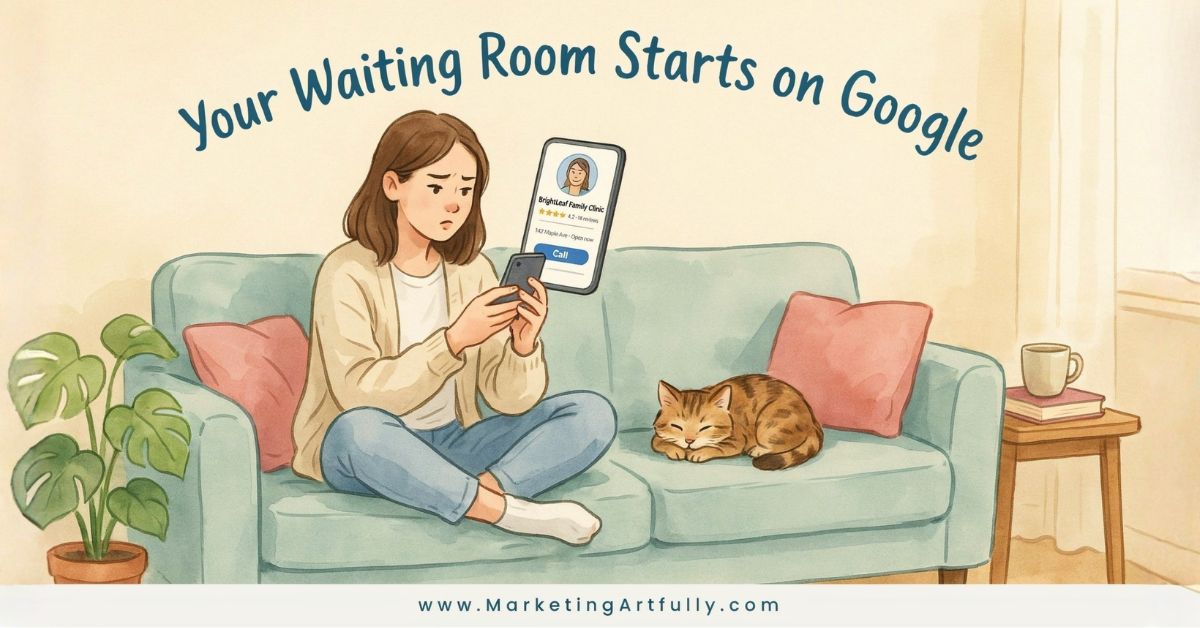
And patients? They are JUDGING. (Lovingly. But still judging.)
Before anyone answers your phone, before a new patient sets foot in your waiting room, they've already formed an opinion about your practice based on what they saw in a Google search. So let's make sure what they see is working FOR you - not sending them straight to your competitor down the street.
You could have the friendliest front desk representative, the most serene consultation rooms. But many patients judge your healthcare practice before anyone answers the telephone. Their very first "waiting room" is a Google search results page, where relatively few details indicate whether their care will be organized, trustworthy, and accessible.
Here are 9 strategies to optimize your healthcare Google Business Profile and turn curious searchers into booked appointments!
1. Your Google Profile Establishes the First Impression
When someone searches for a physician, dentist, or specialist in their immediate area, your Google Business Profile will likely appear before your website. Patients note whether your hours are updated, your phone number works, and your address matches other business listings. They also seek out signs. Does it mention parking? Are there accessibility details clearly described? Do patients need to go through several web pages to schedule an appointment?
Correctly posted information reduces anxiety and indicates that your healthcare organization is aware of the patient's needs even before the patient comes in. I think about this every time I'm searching for a new provider - if I can't figure out where to park or whether you're even open on Fridays, I'm already clicking away. Don't let a fixable detail be the reason someone chooses the practice down the street.
Action step: Pull up your Google Business Profile right now and check every single piece of information - hours, phone, address, parking notes, accessibility details. Then verify it matches your website exactly. Consistency is everything.
2. Patient Comments Reflect More Than a Healthcare Provider's Technical Skills
A good star rating might draw some attention. However, patients generally read the words of comments left by others - those online reviews. Patients usually evaluate how long they waited, how nice the staff was, whether things were explained clearly, and whether appointments seemed hurried.
If one poor review occurs, it does not mean a practice is bad. A calm, polite reply to the reviewer shows that you value feedback. Never argue with a reviewer in public. Respond only with enough information to assure them that you hear their concerns. Protect confidentiality as needed and ask the reviewer to discuss the issue privately.
Here's the thing I've seen time and again as both a reviewer and a marketer: a thoughtful response to a negative review can actually build MORE trust than a wall of five-star ratings. It shows a real human is paying attention. That matters enormously in healthcare, where trust is literally the whole product.
Action step: Set aside 15 minutes this week to respond to any unanswered reviews - good, bad, and neutral. Put a weekly reminder on your calendar so it becomes a habit, not an afterthought.
3. Images Provide Patients With a Visual Representation of What to Expect During Their Visit
Up-to-date photos help unfamiliar practices become more approachable. Display photos of the entryway, the reception area, each consulting room, and any signage that directs patients to your location. These images don't need to appear professionally done - they just need to accurately represent your practice, be clean, and give confidence to potential patients.
Out-of-date photos create skepticism, especially when the practice has changed its brand identity, staffing, or physical location. Consistent posting of new photos enhances both local SEO and gives patients a better idea of what to anticipate on arrival at your office.
I've personally scrolled past businesses because their photos looked like they were taken in 2009 on a flip phone. Don't let that be you. A quick walk-through with your smartphone on a bright day will do the trick.
Action step: Schedule a 20-minute photo walk through your practice this week. Upload at least 5 fresh, well-lit photos to your Google Business Profile - and put a quarterly reminder on the calendar to refresh them.
4. Your Website Needs to Answer Any Initial Questions That Potential New Patients Have
Following a viewing of your listing, a significant portion of patients will visit your website to verify the services provided by your practice, the education and credentials of your practitioners, accepted insurances, and scheduling options. Make sure these elements are easy to locate on mobile devices.
This is where marketing for healthcare practices transitions from promotional to barrier-eliminating. Clearly written and formatted service pages, simple-to-read content, quick load times, and clearly labeled calls to action - such as scheduling buttons - all work together to reduce confusion among prospective patients and allow them to advance to the next stage without feeling frustrated.
Think of your website as the second half of a conversation your Google Profile started. If the profile got them curious, the website needs to close the deal - by making everything obvious, fast, and mobile-friendly.
Action step: Pull up your website on your phone as if you're a brand new patient. Can you find your services, your providers' credentials, your accepted insurance, and a booking button in under two minutes? If not, something needs to move up the page.
5. Consistency Helps Create Trust in a Healthcare Organization
Potential patients will compare the accuracy of your Google Business listing, website, social media profiles, and various healthcare directory entries within minutes. Different hours listed across these platforms, outdated contact information, or differing physical locations can lead potential patients to question the reliability of your practice.
While your online presence can never substitute for thoughtful, high-quality care, it can help make the initial steps feel less stressful. When all information is up to date and the appointment booking process is straightforward and stress-free, patients enter with fewer doubts.
This is one of those things that feels boring to fix but pays off enormously. Mismatched information is a silent trust-killer - patients may not even know why they feel uneasy, they just quietly choose someone else.
Action step: Google your practice name and check the top five listings that come up. Do they all show the same hours, phone number, and address? Fix every discrepancy you find, starting with the highest-traffic platforms first.
6. Use the Q&A Feature Before Patients Have to Ask
Most practices don't even know the Q&A section on their Google Business Profile exists. The ones that do know? Often leave it unmonitored - which means anyone can answer your patients' questions, not just you.
Get in there first. Common questions for healthcare practices include things like "Do you accept [insurance]?" and "Is there parking?" and "How do I request a same-day appointment?" Proactively answering these reduces friction and saves your front desk team from fielding the same five questions on a loop every Monday morning. (Your front desk staff will personally thank you for this one!)
Action step: Add at least 5 Q&A entries to your profile this week covering your most common patient inquiries. Check back monthly to see if new questions have been submitted.
7. Actively Request Reviews From Happy Patients
Reviews don't magically appear - at least not the good ones. The patients who had a terrible experience? They WILL find the review box. The ones who loved you? They mean to leave a review and then life happens and suddenly it's three years later.
Make it easy and make it part of your process. A simple follow-up text or email after an appointment with a direct link to your Google review page removes every possible barrier. You don't have to beg - just make it convenient.
Action step: Set up a simple post-appointment review request - even a one-line text with your Google review link works beautifully. Make it automatic so it happens without anyone having to remember.
8. Post Updates to Your Profile Regularly
Here's a feature almost nobody uses: Google Business Profiles have a Posts section where you can share updates, announcements, seasonal reminders, and more - and those posts show up directly in your search listing.
Think of it as a lite version of social media, right inside Google. You can post flu shot reminders, new provider announcements, holiday hours, or community events. It keeps your listing looking active, signals to Google that you're engaged, and gives patients one more reason to trust that you're the right choice.
Action step: Write one Google Post this week. Keep it simple - a seasonal health tip or a "we're now accepting new patients" announcement is perfect. Set a monthly reminder to post going forward.
9. Make Booking an Appointment Stupidly Easy
This is the one that ties everything together. You could have a flawless, fully optimized Google Business Profile - and still lose patients because the booking process is a confusing multi-step nightmare.
The goal is zero friction between "I want an appointment" and "I'm booked." That means a clickable scheduling button right in your profile, a booking page that works on mobile without making anyone pinch-zoom their way through a tiny form, and as few steps as possible.
I always say: if you make it easy, they will come. If you make it confusing, they will find someone who made it easy.
Action step: Go through your own booking process on your phone as if you've never done it before. Count the steps. If it takes more than two minutes or requires more than three clicks, something needs to be simplified.
The Big Picture on Healthcare Google Business Profile Optimization
Here's what I know after years of watching businesses show up - or completely disappear - in local search: the practices that win aren't always the ones with the most impressive credentials or the nicest waiting rooms. They're the ones that made it easy for a nervous patient to feel confident choosing them from a search results page.
Your Google Business Profile is your first impression, your digital front desk, and your local SEO secret weapon - all rolled into one. The good news? Everything on this list is completely within your control. You don't need a big marketing budget or a tech team. You just need to show up online the same way I know you already show up for your patients - with clarity, care, and attention to detail.